- Hardware probeOK
- Core systems telemetryOK
- Process tableOK
- Voice stackOK
- MeteorologyOK
- APT system updateOK
- Network throughputOK
- Memory: episodic recallOK
Jarvis
Say “hey Jarvis”. It answers, and does the work.
- Wake to reply
- ~200 ms
- Speech to text, cloud
- ~300 ms
- Router, tier 1
- 0.003 ms
- First token, Groq
- 200–600 ms
- Voice, Piper
- ~137 ms
- Echo cancelled
- 40.5 dB
- Warm boot
- ~3.5 s
An always-on voice assistant that runs as a background service on a Linux laptop. Say “hey Jarvis” and it answers out loud: it opens apps, sets the volume, Wi-Fi and Bluetooth, reads the screen and the camera, searches the web, remembers things, replies to email and WhatsApp, and edits code. Most of the speech stack runs on the laptop itself, behind a full-screen sci-fi HUD.
The source is private for now.
Reactor, explode
Most commands never reach a language model. Each stage hands over to the next only when it has to. Each ring of the core is one stage between your voice and its answer.
- Microphoneecho −40.5 dBPipeWire echo cancel
- Wake word~200 ms to answeropenWakeWord
- Turn taking~65 msSilero VAD + smart-turn
- Speech to text~300 ms cloudfaster-whisper
- Router0.003 ms tier 1phrases → embeddings → LLM
- Confidence gateone question at a timeact, offer, or ask
- Skill + voice137 skills · ~137 ms voice137 skills · Piper
Say “hey Jarvis”
A real two-part command, through the HUD’s pipeline ring, with the time each stage measured.
- VOICE
- MICecho −40 dB
- WAKE~200 ms
- VAD
- TURN~65 ms
- WHO~27 ms
- STT~300 ms
- ROUTER0.003 ms
- GATE
- SKILL~137 ms
EVENT BUS
WAKE hey jarvis · 0.93 → “Yes sir.”
YOU turn the volume down and tell me the time
WHO voiceprint matches · owner
ROUTER tier 1 · system.volume_down + query.time
GATE confidence 0.97 · risk LOW → act
JARVIS Done, sir.
The HUD, for real
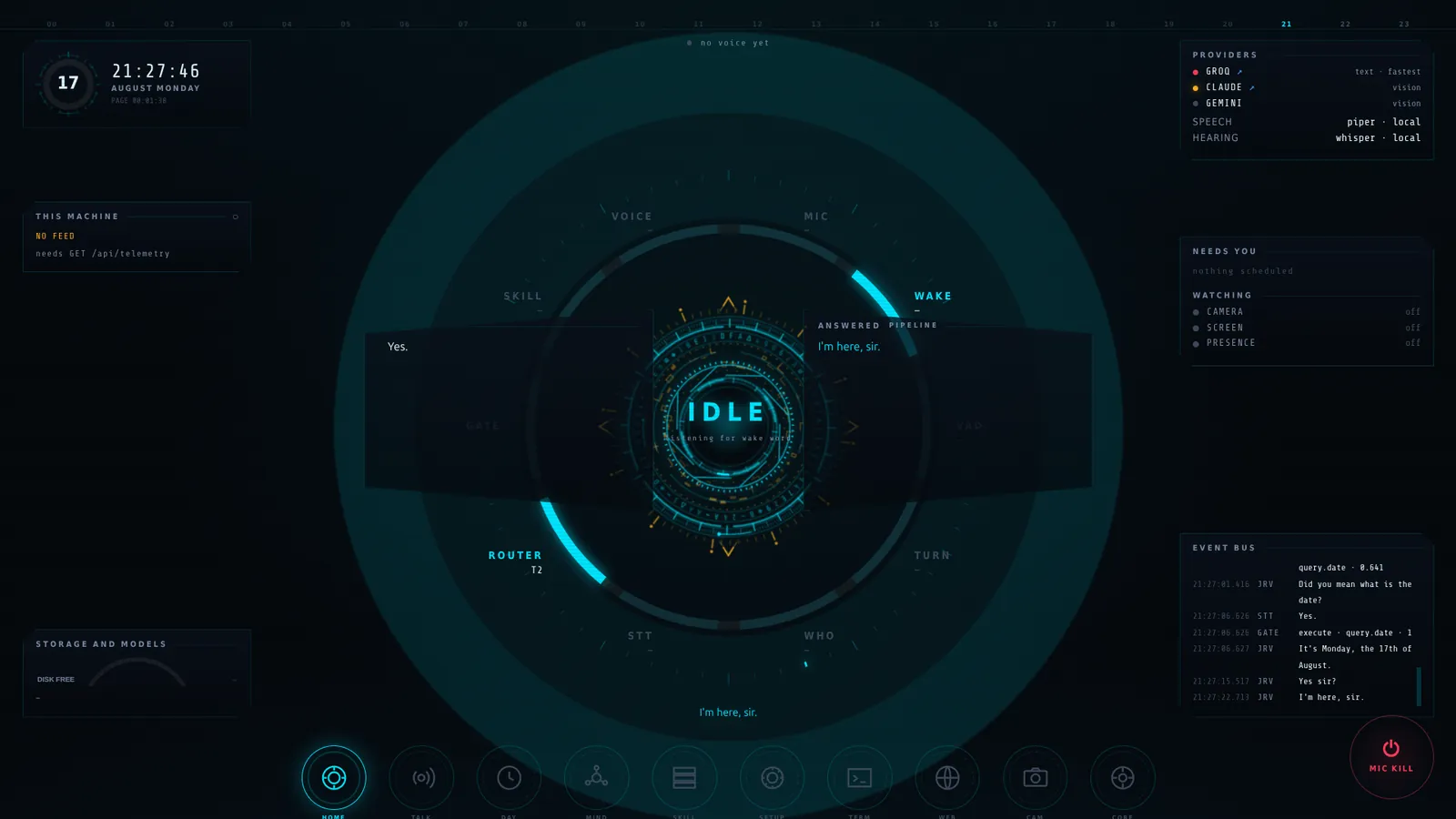
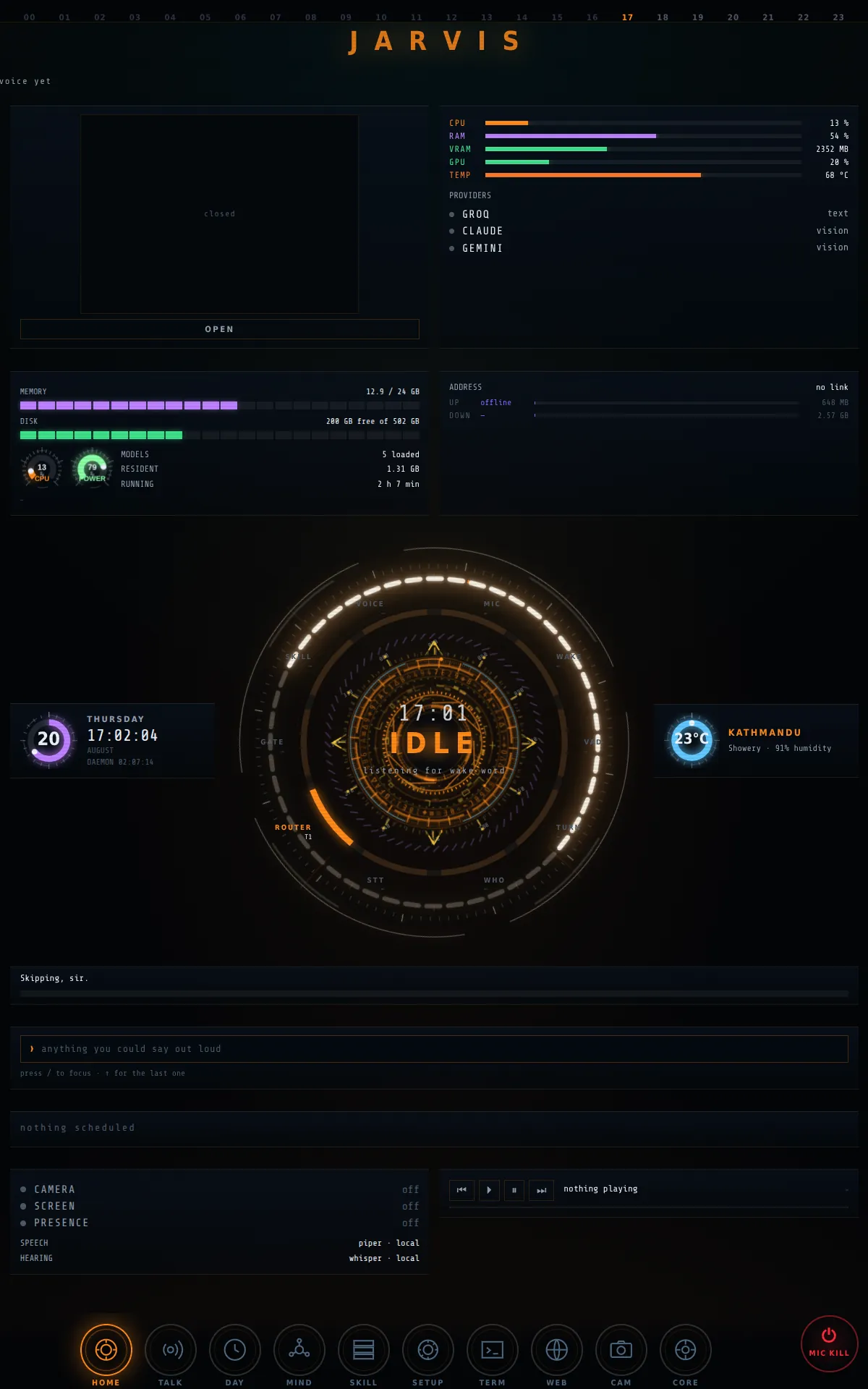
Screenshots from the laptop, with what each part does. Scroll to switch it from speaking to listening to the old ION theme, then step back to the whole wall.
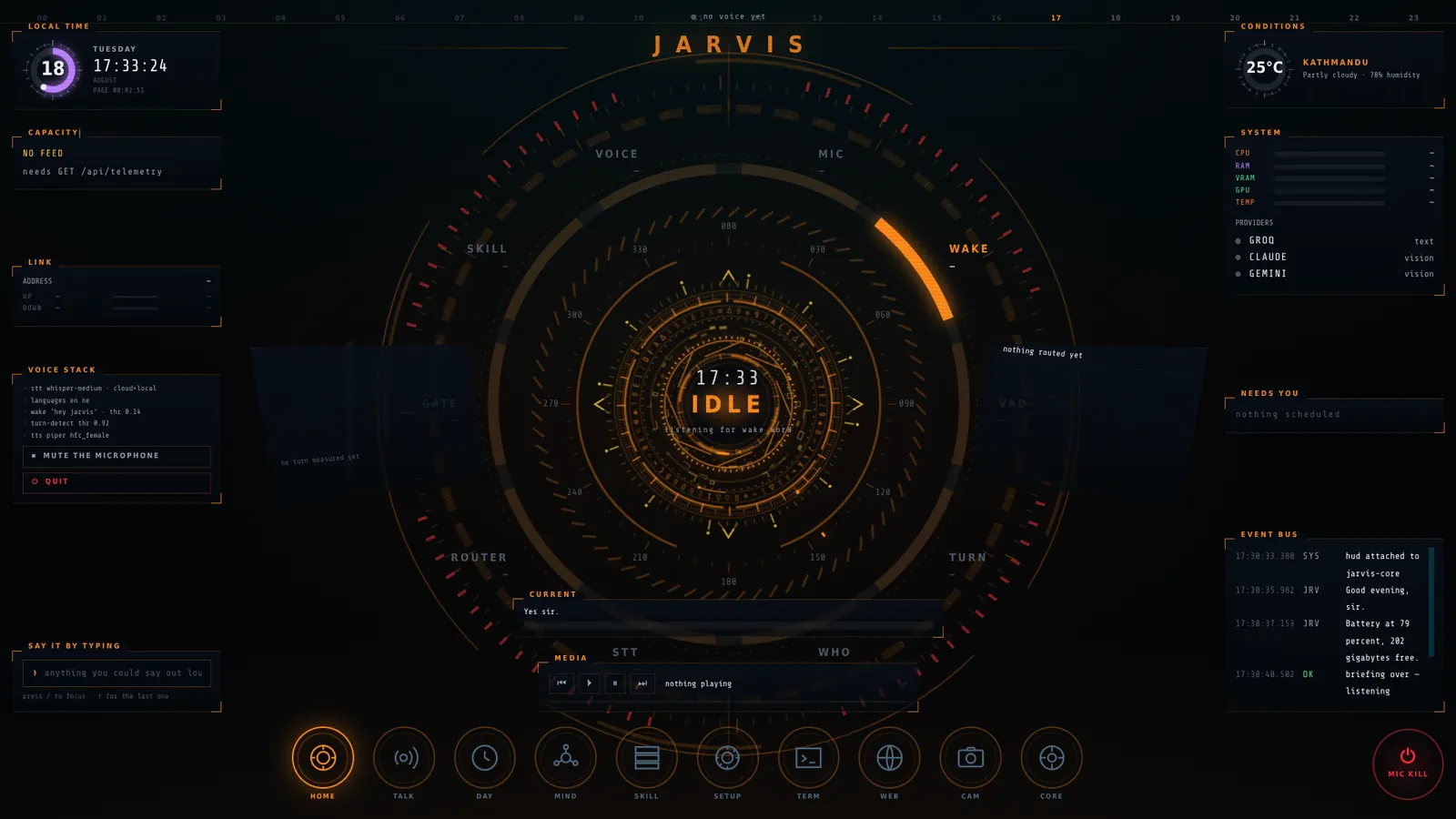
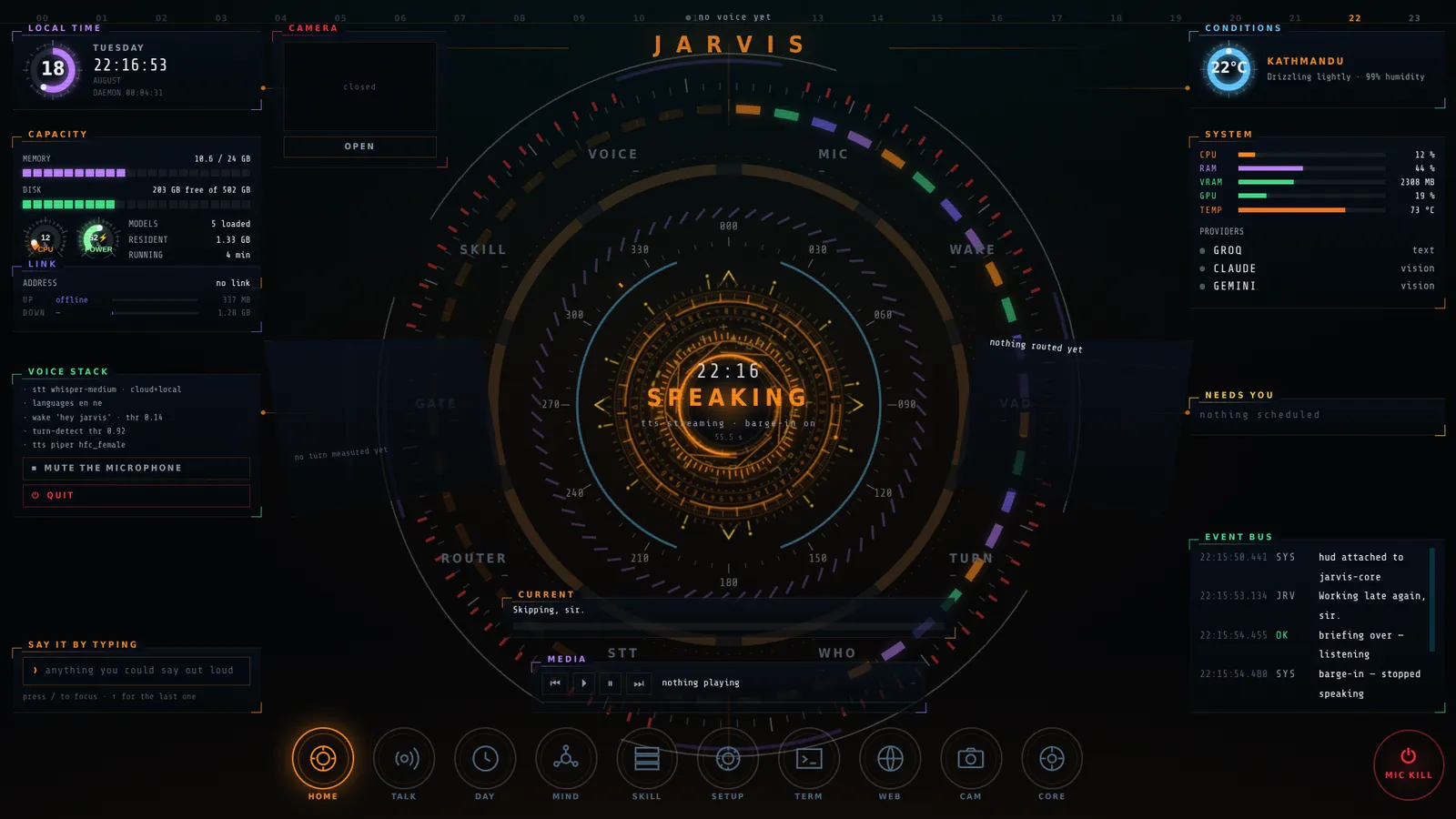
- Speaking. The MARK theme. The core pulses while Jarvis talks, and you can cut in mid-sentence.
- Listening. Idle, waiting for the wake word, with the weather, system load and voice stack around the core.
- The ION theme. The original cyan look, with the router's decisions scrolling on the event bus.
- The wall. A HUD on every screen: two landscape monitors and a portrait one, each with its own panes.
Skill registry
137 skills in code today, from volume and Wi-Fi to reading the screen and replying on WhatsApp. Ask for one it doesn’t have and it goes on the wish list.
- system34
- files9
- media9
- code7
- talk7
- window7
- reactor6
- query5
- workstation5
- teach4
- web3
- camera3
- calendar3
- presence3
- time3
- terminal3
- memory3
- browser3
- ui3
- 15 more17
Sure, or it asks
Every skill has a risk level and every guess a confidence. Pick a command, slide the confidence, and see what Jarvis would do.
One question at a time. No answer in 15 seconds cancels it: silence is never consent.
The wake word, voice activity, turn taking, speaker check, transcription and voice all run on the laptop. The cloud is for language models.
Ask for something it can't do yet and it says so, then puts it on the wish list.
Anything that can't be undone waits for a spoken yes. Silence is never consent.
Next app on the bus
TallyEvery present day plants a tree.